
Card Updates
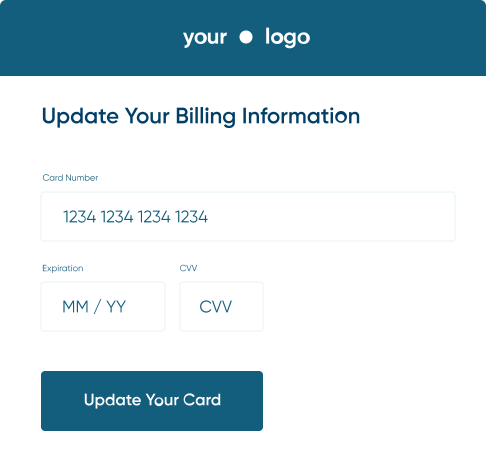
Capture card update pages — what your customers see, how the update flow works, and how to keep it on brand.
Make updating a card the easiest thing a customer does
A motivated subscriber will jump through hoops to keep a subscription they care about. A weaker relationship won't. Put a login screen or a portal to navigate in front of that customer, and failed payments become passive churn.
So the goal is to make card updates easier in whatever way possible. Each step taken out is another marginal subscriber who updates instead of lapsing, and that's the customer experience side of recovery a feature list never captures.
Churn Buster takes the shortest path your platform allows
Whatever platform you run, Churn Buster links each customer to the right update page with the fewest steps to get there. Bypassing the login with a tokenized link is supported on most platforms, so the customer goes from the email straight to a payment form tied to their subscription, with no account to find and no password to reset.
How far that path goes depends on your platform
A couple of setups go further than the standard tokenized link.
- On many Shopify based platforms, a Capture page hands the customer straight to Shopify to update, with no customer portal to navigate. For many customers that's a single click.
- On Stripe and Braintree, a dedicated Capture page validates the new card in real time, charges it on the spot, reactivates the subscription, and saves the card as the default so the next cycle just works. Churn Buster hosts the page, or you can host it on your own domain, or embed the Capture form directly in your app.
Built to be safe to click, and to look like you
A billing email asking for card details has to clear a high trust bar, and the page clears it two ways. It carries your branding, so the customer recognizes who they're paying instead of landing on an unfamiliar form. And it's secure by construction. Each update link is unique and signed so it can't be guessed or reused, card details go straight to your processor rather than being stored by Churn Buster, and the flow is SCA compliant, with 3D Secure 2.0 where a charge requires it.
Let Stripe customers update a bank account
Stripe customers can update a bank account (ACH) on your card update page. Our team turns this option on for you; it's off by default and supports individual bank accounts only.
The customer clicks "Use a bank account", enters Account Holder's Name, Routing # and Account #, and ticks the authorization checkbox. If Stripe rejects the bank setup, the page shows the card form instead.
Change the text on the page
Our team can change the heading, intro and closing text, field labels, button text, footer, and thank you screen on your card update page. Heading and intro changes apply only on Stripe and Recharge card update pages.
The thank you screen defaults to "Thank you!" and "You've successfully updated your payment information." You can ask our team to replace those with a message in your voice. Each account uses one language for its card update page. You can choose your card update page language with our team.
Where to go next
The card update page is the last stop in a campaign, for customers the quieter steps couldn't recover on their own.
- Retries, where most payments recover quietly before a card update is ever needed.
- Emails, the sequence that carries the update link to the customer.
- SMS Nudge, a second channel when email isn't reaching them.
How the channels sequence together is covered in Adaptive Campaigns.