
Churn Buster
Passive Churn Active Churn Results
Sign In See Pricing
Churn Buster
Passive Churn Active Churn Results Sign In See Pricing
Recharge / Recharge Capture
Dunning
Adaptive Campaigns Emails SMS Nudge Last Chance Offers Retries Card Updates Alerts Data & Testing
Cancel Flows
Overview Getting Started Testing Deflections Cancel Reasons Targeted Offers Custom Branding Segmentation Analytics & Insights
Integrations
Recharge
Recharge Payments Setup Recommended Recharge Settings Order Changes Recharge Capture Multi-store Setup
Stripe Braintree API Other FAQ
Dunning
Adaptive Campaigns Emails SMS Nudge Last Chance Offers Retries Card Updates Alerts Data & Testing
Cancel Flows
Overview Getting Started Testing Deflections Cancel Reasons Targeted Offers Custom Branding Segmentation Analytics & Insights
Integrations
Recharge
Recharge Payments Setup Recommended Recharge Settings Order Changes Recharge Capture Multi-store Setup
Stripe Braintree API Other FAQ
Docs  /  Recharge

Recharge Capture

How the Capture page works for Recharge merchants and what your customers see when they update payment.

Churn Buster makes it easy for your customers to update their payment methods and get subscriptions back on track.

Capture for Recharge

Churn Buster Capture technology intelligently routes customers to the right place to update billing information, often with no login required.

  • Delivers a better customer experience around card updates, even while you make changes to your customer portal
  • Automatically assigns new cards to the correct subscription (no extra steps!)
  • A seamless card update experience even while migrating to Shopify Checkout (SCI)

Capture replaces the card update links in your emails with upgraded functionality, and is included at no additional cost.

How it works:

Shop Pay

For merchants using SCI, the Capture page sends customers the Shopify email to update their Shop Pay payment method.
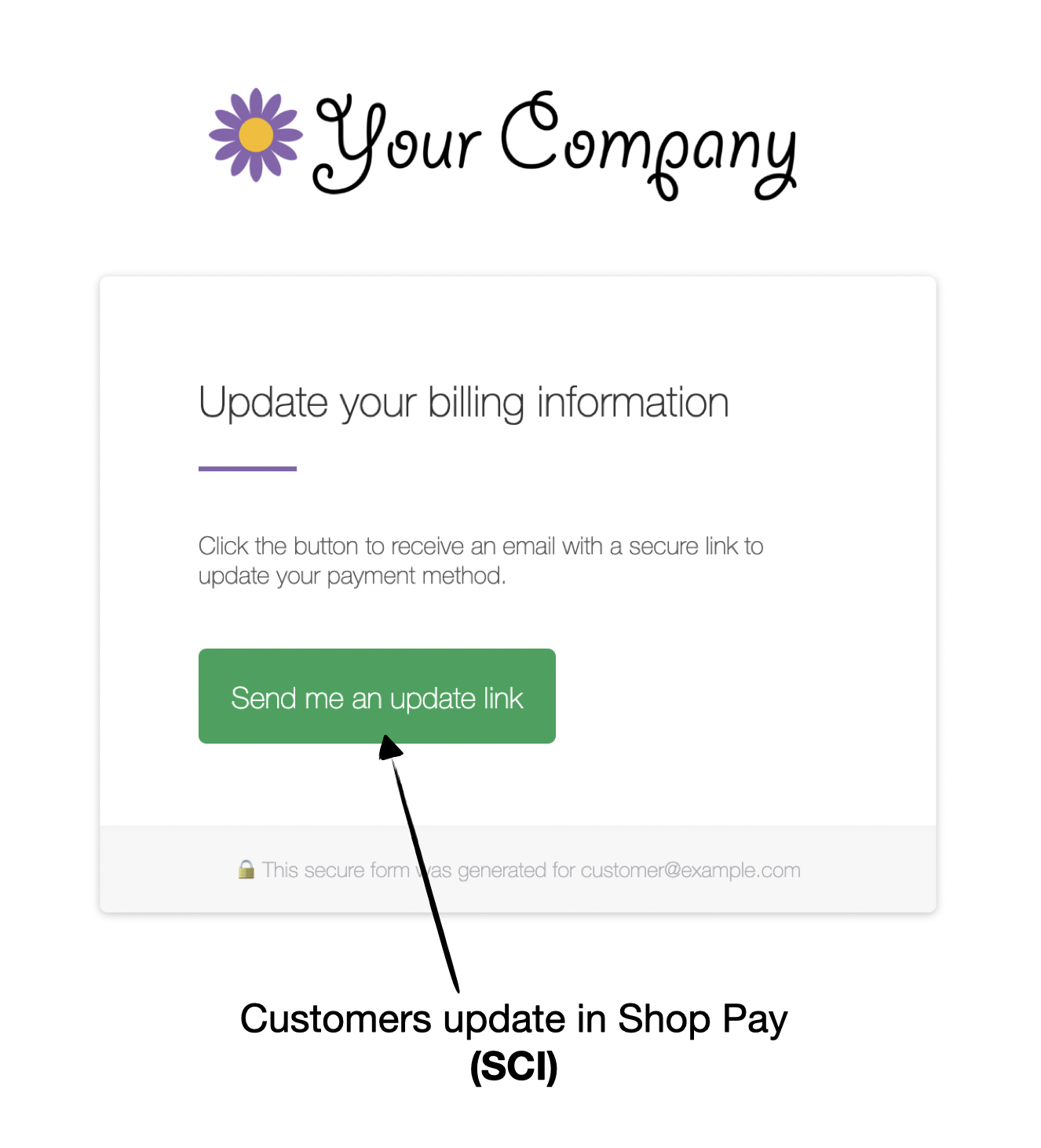
Churn Buster Capture page directing a Shop Pay customer to update their payment method via Shopify email

Once updated, the updated payment method is automatically attached to the subscription and the order is processed.

This keeps customers out of the customer portal and is the easiest way for customers to update their payment method.

Other

For merchants using legacy or migrated checkouts, the Capture page dynamically changes based on whether the customer uses Shop Pay or other payment methods.

For customers using non-SCI payment methods, the Capture page gives them tokenized access into the customer portal to add a new payment method and attach it to their subscriptions.
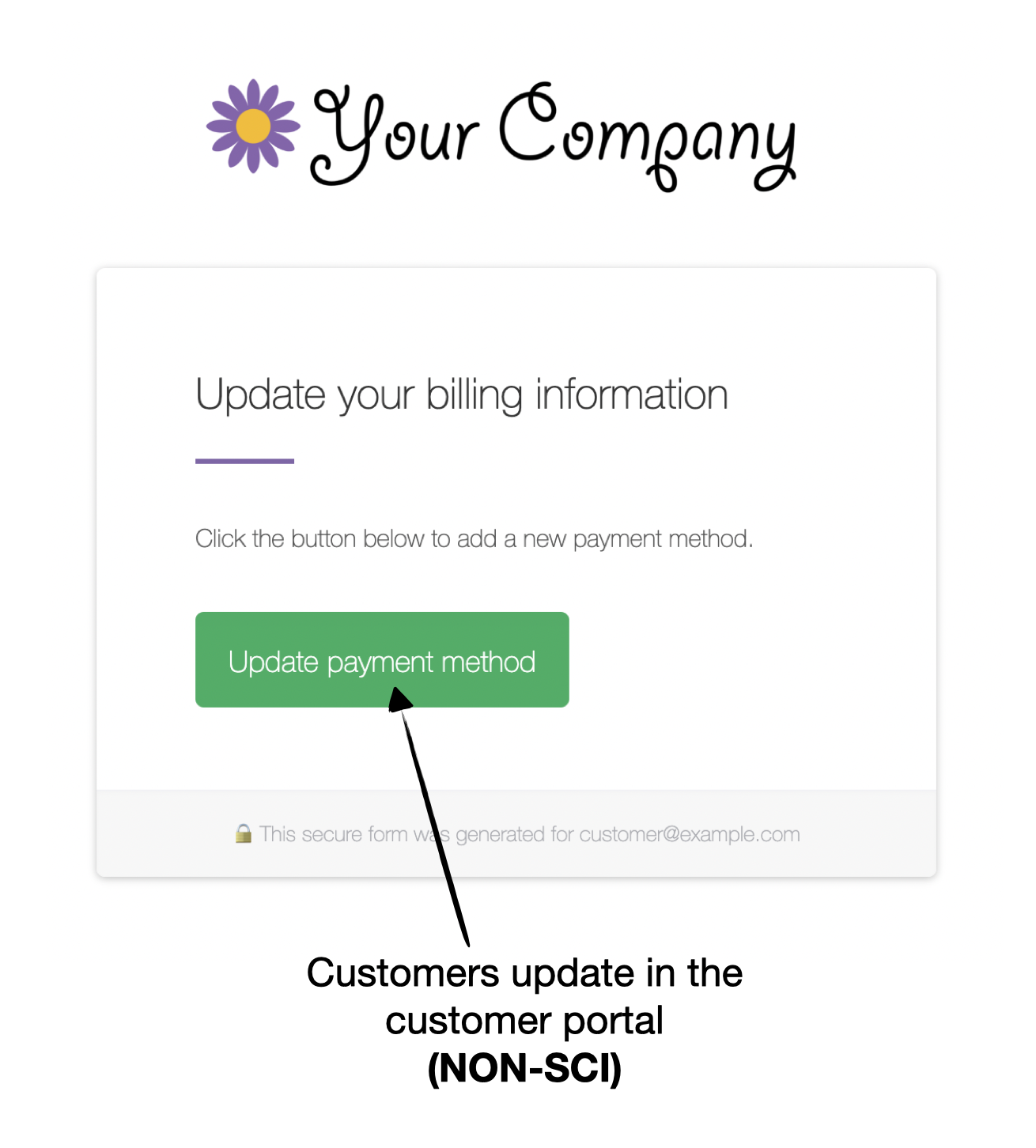
Churn Buster Capture page giving a non-Shop Pay customer tokenized access to the customer portal to add a payment method

Note: Churn Buster can link to other places, including using tokenized links to give customers direct access to the portal to update their payment methods.

Contact support@churnbuster.io if you have any questions about how to give your customers the best experience for updating their payment methods.

Integrates easily with all subscription platforms, or via API

  • Checkout Champ
  • Stripe
  • Shopify
  • Awtomic
  • Skio
  • Stay Ai
  • Recharge
  • Seal Subscriptions
  • OrderGroove
  • Subbly
  • Smartrr
  • Prive
  • Loop
Churn Buster

Established in 2013
Based in San Diego, CA

Questions?
Email support@churnbuster.io

Products
Dunning Cancel Flows Results Pricing Sign In
Compare
Churnkey alternative Butter Payments alternative Chargebee Retention alternative Baremetrics Recover alternative Flycode alternative
Learn
Learn Passive Churn Failure Reasons Recovery Campaigns Recovery Rate Resources
Company
About Partners Security & Compliance Privacy Policy Terms of Service

© Churn Buster, LLC · All Rights Reserved