
Translation
How to send Churn Buster emails and card update pages in your customers' language, and how to pick the right one.
Write your recovery emails in any language
Every email in your campaign is editable, so you can write the whole sequence in the language your customers use.
If customers update their card on Churn Buster's hosted card update page, our team sets its text. Tell us the language and we'll update it to match. The hosted card update page shows one language to every customer, so pick the one most of your customers expect. If your card update link goes to your platform's customer portal instead, you set that page's language in your platform.
Match the language customers already see from you
Your recovery emails should use the same language as your website and the rest of your customer emails. Customers trust a billing email more when it sounds like everything else you send.
If you're unsure, stay with the language customers signed up in.
Don't guess a customer's language
Guessing from an IP address or browser settings can backfire. A customer who's traveling, uses a VPN, or keeps an English language browser can get an email in a language they've never seen from you.
Customers who read your English site with a translation tool can read your emails the same way.
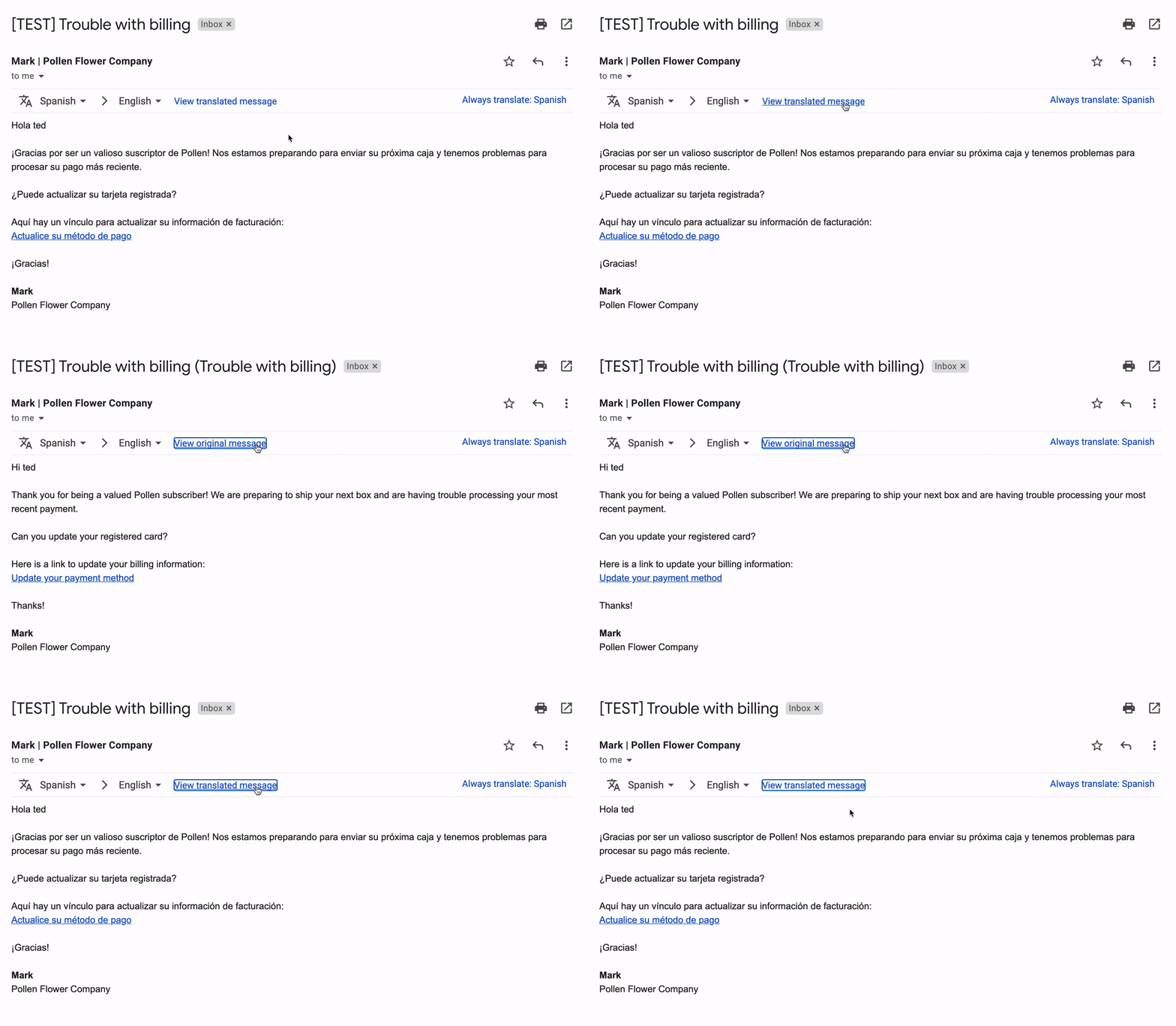
Selling in more than one language
If your site runs in several languages, the reliable signal is the language each customer chose, stored on their customer record. Churn Buster can read it from Stripe metadata or from a custom property you send through our API.
With that stored, a custom snippet can show each customer the right copy. Here's a card update link that switches on a Stripe metadata field named language.
{% if customer.properties.stripe.customer.metadata.language == "fr" %}
  {{capture.link | text: "Mettre à jour ma carte"}}
{% else %}
  {{capture.link | text: "Update your card"}}
{% endif %}For language options on SMS Nudge or Cancel Flows, contact our team.
Where to go next
These pages cover the rest of what customers see during recovery.
- Emails, how to build and brand the recovery sequence.
- Snippets, every tag you can use to personalize an email.
- Card Updates, the page customers use to update their payment method.